

 摘要:
C++ REST SDK (cpprestsdk) 项目介绍 概述 C++ REST SDK(也称为 cpprestsdk 或 Casablanca)是微软开发的一个跨平台的现代...
摘要:
C++ REST SDK (cpprestsdk) 项目介绍 概述 C++ REST SDK(也称为 cpprestsdk 或 Casablanca)是微软开发的一个跨平台的现代... 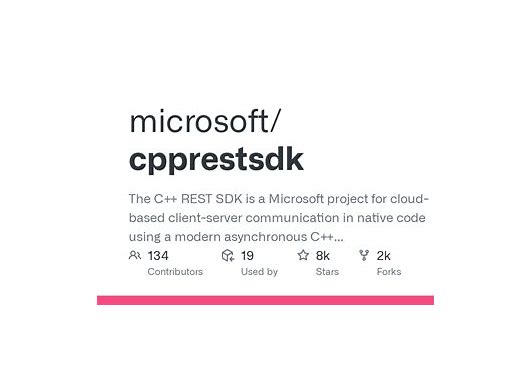
C++ REST SDK (cpprestsdk) 项目介绍
概述
C++ REST SDK(也称为 cpprestsdk 或 Casablanca)是微软开发的一个跨平台的现代 C++ 库,用于构建基于 HTTP 的客户端和服务器应用程序。该项目为 C++ 开发者提供了简洁易用的 API,支持异步 HTTP 通信、JSON 处理、URI 操作等功能,是现代 C++ RESTful 服务开发的理想选择。
主要特性
1. 跨平台支持
- 支持 Windows、Linux、macOS、iOS 和 Android
- 使用 CMake 构建系统,易于集成到各种项目中
2. 异步编程模型
- 基于 PPL(Parallel Patterns Library)的异步任务
- 支持 C++11/14/17 的现代异步编程范式
3. HTTP 客户端和服务器
- 完整的 HTTP 客户端功能
- 支持 HTTP 服务器开发
- 自动处理连接池和重试机制
4. JSON 支持
- 内置 JSON 解析和序列化
- 类型安全的 JSON 值操作
5. URI 和流处理
- URI 构建和解析
- 流式数据读写支持
安装与配置
通过 vcpkg 安装
text
vcpkg install cpprestsdk
通过 CMake 集成
text
find_package(cpprestsdk REQUIRED)
target_link_libraries(your_target PRIVATE cpprestsdk::cpprest)
实用示例
示例 1:基本的 HTTP GET 请求
text
#include <cpprest/http_client.h>
#include <cpprest/filestream.h>

using namespace web;
using namespace web::http;
using namespace web::http::client;

pplx::task<void> HTTPGetAsync()
{
    http_client client(U("https://api.example.com"));

    return client.request(methods::GET, U("/data"))
        .then([](http_response response) {
            std::cout << "Status: " << response.status_code() << std::endl;
            return response.extract_string();
        })
        .then([](std::string body) {
            std::cout << "Response: " << body << std::endl;
        });
}

int main()
{
    try {
        HTTPGetAsync().wait();
    }
    catch (const std::exception& e) {
        std::cerr << "Error: " << e.what() << std::endl;
    }
    return 0;
}
示例 2:HTTP POST 请求与 JSON 处理
text
#include <cpprest/http_client.h>
#include <cpprest/json.h>

pplx::task<void> HTTPPostJSON()
{
    http_client client(U("https://api.example.com"));

    // 创建 JSON 数据
    json::value postData;
    postData[U("name")] = json::value::string(U("John Doe"));
    postData[U("age")] = json::value::number(30);
    postData[U("email")] = json::value::string(U("john@example.com"));

    return client.request(methods::POST, U("/users"), postData.serialize(), U("application/json"))
        .then([](http_response response) {
            if (response.status_code() == status_codes::Created) {
                return response.extract_json();
            }
            return pplx::task_from_result(json::value());
        })
        .then([](json::value jsonResponse) {
            if (!jsonResponse.is_null()) {
                auto userId = jsonResponse[U("id")].as_integer();
                std::cout << "Created user with ID: " << userId << std::endl;
            }
        });
}
示例 3:构建简单的 HTTP 服务器
text
#include <cpprest/http_listener.h>
#include <cpprest/json.h>

using namespace web;
using namespace web::http;
using namespace web::http::experimental::listener;

class SimpleServer
{
public:
    SimpleServer(const utility::string_t& url) : m_listener(url)
    {
        m_listener.support(methods::GET,
            std::bind(&SimpleServer::handle_get, this, std::placeholders::_1));
        m_listener.support(methods::POST,
            std::bind(&SimpleServer::handle_post, this, std::placeholders::_1));
    }

    void handle_get(http_request message)
    {
        json::value response;
        response[U("message")] = json::value::string(U("Hello from C++ REST SDK!"));
        response[U("timestamp")] = json::value::string(U(__TIMESTAMP__));

        message.reply(status_codes::OK, response);
    }

    void handle_post(http_request message)
    {
        message.extract_json()
            .then([=](json::value body) {
                // 处理 POST 数据
                auto name = body[U("name")].as_string();

                json::value response;
                response[U("greeting")] =
                    json::value::string(U("Hello, ") + name + U("!"));

                message.reply(status_codes::OK, response);
            });
    }

    pplx::task<void> open() { return m_listener.open(); }
    pplx::task<void> close() { return m_listener.close(); }

private:
    http_listener m_listener;
};

int main()
{
    utility::string_t address = U("http://localhost:8080/api");
    SimpleServer server(address);

    try {
        server.open().wait();
        std::cout << "Server listening at: " << address << std::endl;

        std::cout << "Press ENTER to exit." << std::endl;
        std::string line;
        std::getline(std::cin, line);

        server.close().wait();
    }
    catch (const std::exception& e) {
        std::cerr << "Error: " << e.what() << std::endl;
    }

    return 0;
}
示例 4:处理文件上传
text
#include <cpprest/http_client.h>
#include <cpprest/filestream.h>

pplx::task<void> UploadFile()
{
    auto fileStream = std::make_shared<concurrency::streams::ostream>();

    return concurrency::streams::fstream::open_ostream(U("result.txt"))
        .then([=](concurrency::streams::ostream outFile) {
            *fileStream = outFile;

            http_client client(U("https://api.example.com"));
            return client.request(methods::GET, U("/download"));
        })
        .then([=](http_response response) {
            return response.body().read_to_end(fileStream->streambuf());
        })
        .then([=](size_t) {
            return fileStream->close();
        });
}
最佳实践
1. 错误处理
text
client.request(methods::GET, U("/endpoint"))
    .then([](http_response response) {
        if (response.status_code() == status_codes::OK) {
            return response.extract_string();
        }
        throw std::runtime_error("Request failed");
    })
    .then([](pplx::task<std::string> previousTask) {
        try {
            auto result = previousTask.get();
            // 处理成功结果
        }
        catch (const std::exception& e) {
            // 处理异常
        }
    });
2. 配置 HTTP 客户端
text
http_client_config config;
config.set_timeout(std::chrono::seconds(30));
config.set_credentials(web::credentials(U("username"), U("password")));

http_client client(U("https://api.example.com"), config);
性能考虑
- 连接复用:默认启用连接池,提高性能
- 异步操作:避免阻塞主线程,提高并发能力
- 内存管理:使用智能指针和 RAII 原则
适用场景
- 微服务架构中的 C++ 服务
- 需要与 RESTful API 交互的桌面应用
- 高性能的后端服务
- 跨平台的网络应用开发
总结
C++ REST SDK 为 C++ 开发者提供了一个强大而现代的 RESTful 编程框架。通过其简洁的 API、强大的异步支持和跨平台能力,开发者可以轻松构建高性能的网络应用。无论是构建客户端应用还是服务器端服务,cpprestsdk 都是一个值得考虑的优秀选择。
项目持续维护,拥有活跃的社区支持,是微软在 C++ 网络编程领域的重要贡献。对于需要现代 C++ REST 开发能力的项目,cpprestsdk 提供了企业级的解决方案。
cpprestsdk_20260203124438.zip
类型:压缩文件|已下载:0|下载方式:免费下载
立即下载




还没有评论,来说两句吧...