

 摘要:
谷歌放大招,把Gemini AI塞进浏览器,你用上了吗? Gemini AI、Auto Browse自动浏览贴身服务...
摘要:
谷歌放大招,把Gemini AI塞进浏览器,你用上了吗? Gemini AI、Auto Browse自动浏览贴身服务... 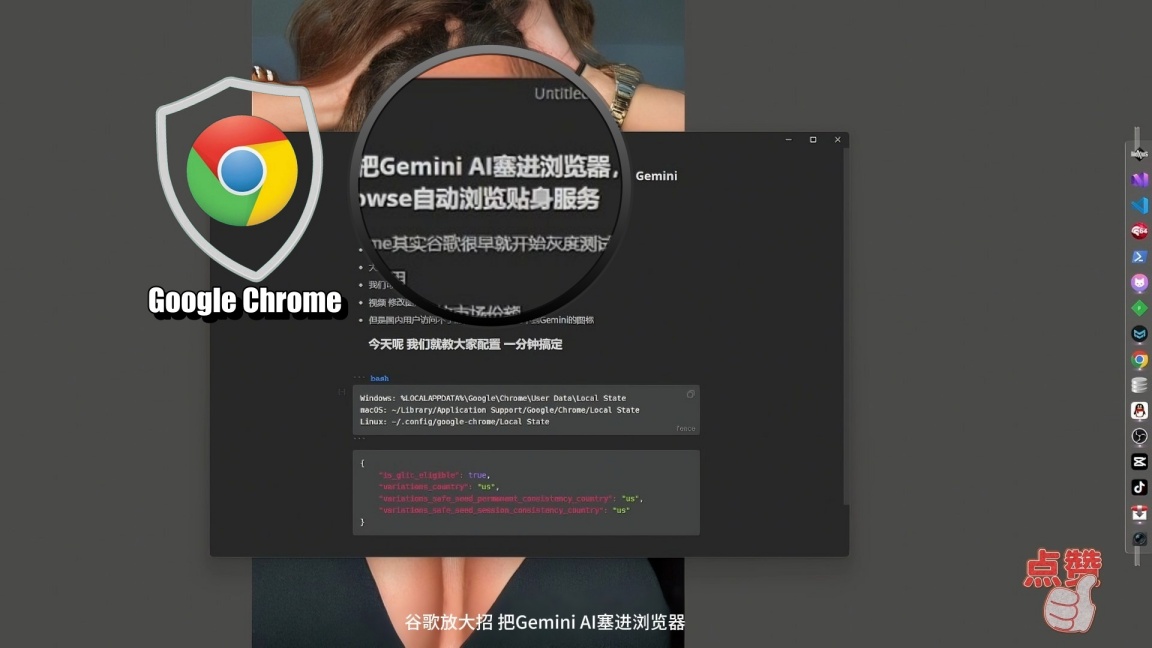
谷歌放大招,把Gemini AI塞进浏览器,你用上了吗? Gemini AI、Auto Browse自动浏览贴身服务
Gemini in Chrome其实谷歌很早就开始灰度测试了
而且呢 确实非常有用
毕竟 Chrome和谷歌搜索的市场份额
大到几乎是所有人的互联网入口
我们可以通过Gemini in Chrome非常方便的来总结文章
视频 修改图片等等。。。。
但是国内用户访问不了的,怎么配置也找不到Gemini的图标
Windows: %LOCALAPPDATA%\Google\Chrome\User Data\Local State
macOS: ~/Library/Application Support/Google/Chrome/Local State
Linux: ~/.config/google-chrome/Local State
{
    "is_glic_eligible": true,
    "variations_country": "us",
    "variations_safe_seed_permanent_consistency_country": "us",
    "variations_safe_seed_session_consistency_country": "us"
}
修改起来麻烦 下面就先给出一个 Windows PowerShell
# 用法:右键点击文件 -> 使用 PowerShell 运行

$jsonFile = "$env:LOCALAPPDATA\Google\Chrome\User Data\Local State"
$backupFile = "$env:LOCALAPPDATA\Google\Chrome\User Data\Local State.backup"

Write-Host "========================================" -ForegroundColor Cyan
Write-Host "Chrome Local State 配置修改脚本" -ForegroundColor Cyan
Write-Host "========================================" -ForegroundColor Cyan
Write-Host ""

# 1. 检查 Chrome 是否在运行
Write-Host "[1/5] 检查 Chrome 是否正在运行..." -ForegroundColor Yellow
$chrome = Get-Process -Name chrome -ErrorAction SilentlyContinue
if ($chrome) {
    Write-Host ""
    Write-Host "⚠️ 警告:检测到 Chrome 正在运行!" -ForegroundColor Red
    Write-Host ""
    Write-Host "请先关闭 Chrome 浏览器,否则修改可能无效。"
    Write-Host ""
    $confirm = Read-Host "Chrome 已关闭吗?(y/n)"
    if ($confirm -ne 'y') {
        Write-Host "已取消操作。" -ForegroundColor Red
        pause
        exit
    }
    # 再次确认
    $chrome = Get-Process -Name chrome -ErrorAction SilentlyContinue
    if ($chrome) {
        Write-Host "错误:Chrome 仍在运行,请完全关闭后重试。" -ForegroundColor Red
        pause
        exit
    }
}
Write-Host "✓ Chrome 未运行" -ForegroundColor Green
Write-Host ""

# 2. 检查配置文件是否存在
Write-Host "[2/5] 检查配置文件..." -ForegroundColor Yellow
if (-not (Test-Path $jsonFile)) {
    Write-Host "错误:找不到配置文件" -ForegroundColor Red
    Write-Host "路径: $jsonFile" -ForegroundColor Red
    pause
    exit
}
Write-Host "✓ 配置文件存在" -ForegroundColor Green
Write-Host ""

# 3. 备份原文件
Write-Host "[3/5] 正在备份原文件..." -ForegroundColor Yellow
Copy-Item -Path $jsonFile -Destination $backupFile -Force
Write-Host "✓ 备份完成: $backupFile" -ForegroundColor Green
Write-Host ""

# 4. 修改配置
Write-Host "[4/5] 正在修改配置..." -ForegroundColor Yellow

try {
    $json = Get-Content -Raw -Path $jsonFile | ConvertFrom-Json

    # 修改指定的字段
    $json.variations_country = 'us'
    $json.variations_safe_seed_permanent_consistency_country = 'us'
    $json.variations_safe_seed_session_consistency_country = 'us'

    # 修改嵌套的 is_glic_eligible
    if ($json.profile.info_cache.Default) {
        $json.profile.info_cache.Default.is_glic_eligible = $true
        Write-Host "  ✓ 已设置: is_glic_eligible = true" -ForegroundColor Green
    } else {
        Write-Host "  ⚠ 警告: 未找到 profile.info_cache.Default 节点" -ForegroundColor Yellow
    }

    # 保存文件
    $json | ConvertTo-Json -Depth 20 | Set-Content -Path $jsonFile -Encoding UTF8

    Write-Host "✓ 修改完成" -ForegroundColor Green
} catch {
    Write-Host "错误:修改失败 - $_" -ForegroundColor Red
    pause
    exit
}
Write-Host ""

# 5. 验证修改
Write-Host "[5/5] 验证修改结果..." -ForegroundColor Yellow
$json = Get-Content -Raw -Path $jsonFile | ConvertFrom-Json
Write-Host "  variations_country = $($json.variations_country)" -ForegroundColor Cyan
Write-Host "  variations_safe_seed_permanent_consistency_country = $($json.variations_safe_seed_permanent_consistency_country)" -ForegroundColor Cyan
Write-Host "  variations_safe_seed_session_consistency_country = $($json.variations_safe_seed_session_consistency_country)" -ForegroundColor Cyan
if ($json.profile.info_cache.Default) {
    Write-Host "  is_glic_eligible = $($json.profile.info_cache.Default.is_glic_eligible)" -ForegroundColor Cyan
}
Write-Host ""

Write-Host "========================================" -ForegroundColor Cyan
Write-Host "✓ 修改成功!" -ForegroundColor Green
Write-Host "========================================" -ForegroundColor Cyan
Write-Host ""
Write-Host "备份文件位置: $backupFile"
Write-Host ""
Write-Host "请重启 Chrome 使修改生效。" -ForegroundColor Yellow
Write-Host ""
pause
复制保存的时候注意保存的编码。里面有中文。








还没有评论,来说两句吧...