

 摘要:
C++ HTTP 服务器与客户端库:cpp-httplib 全面解析 项目概述 cpp-httplib 是一个轻量级、跨平台的 C++11 HTTP/HTTPS 服务器和客户端库,...
摘要:
C++ HTTP 服务器与客户端库:cpp-httplib 全面解析 项目概述 cpp-httplib 是一个轻量级、跨平台的 C++11 HTTP/HTTPS 服务器和客户端库,... 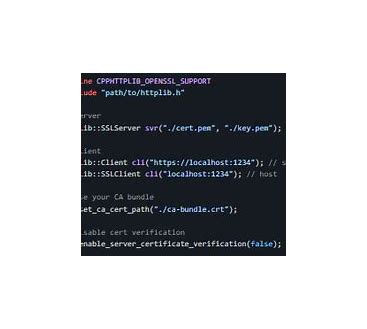
C++ HTTP 服务器与客户端库:cpp-httplib 全面解析
项目概述
cpp-httplib 是一个轻量级、跨平台的 C++11 HTTP/HTTPS 服务器和客户端库,由 yhirose 开发并维护。该项目以其简洁的 API 设计、零依赖性和易于集成而闻名,特别适合需要快速构建 HTTP 服务的 C++ 项目。
核心特性
1. 零依赖设计
- 仅需 C++11 标准库支持
- 无需安装额外的第三方库
- 支持 Windows、Linux、macOS 等主流平台
2. 功能丰富
- 支持 HTTP/1.1 协议
- 内置 SSL/TLS 支持(通过 OpenSSL)
- 支持文件上传和下载
- 支持多部分表单数据
- 支持 WebSocket(实验性功能)
- 支持压缩(gzip、deflate)
3. 简单易用的 API
- 直观的服务器和客户端接口
- 支持 RESTful API 设计
- 灵活的请求/响应处理机制
安装与集成
单文件集成
cpp-httplib 最吸引人的特点之一是它采用单文件设计:
text
// 只需包含一个头文件
#include "httplib.h"
CMake 集成
text
# CMakeLists.txt
add_executable(my_app main.cpp)
target_link_libraries(my_app PRIVATE httplib::httplib)
基础使用示例
1. 创建简单的 HTTP 服务器
text
#include "httplib.h"

int main() {
    httplib::Server svr;

    // 处理 GET 请求
    svr.Get("/hello", [](const httplib::Request& req, httplib::Response& res) {
        res.set_content("Hello World!", "text/plain");
    });

    // 处理 POST 请求
    svr.Post("/submit", [](const httplib::Request& req, httplib::Response& res) {
        std::string body = req.body;
        res.set_content("Received: " + body, "text/plain");
    });

    // 启动服务器,监听 8080 端口
    svr.listen("localhost", 8080);

    return 0;
}
2. 创建 HTTP 客户端
text
#include "httplib.h"
#include <iostream>

int main() {
    httplib::Client cli("http://localhost:8080");

    // 发送 GET 请求
    auto res = cli.Get("/hello");
    if (res && res->status == 200) {
        std::cout << "Response: " << res->body << std::endl;
    }

    // 发送 POST 请求
    auto post_res = cli.Post("/submit", "Hello Server!", "text/plain");
    if (post_res && post_res->status == 200) {
        std::cout << "POST Response: " << post_res->body << std::endl;
    }

    return 0;
}
高级功能示例
1. 文件服务
text
#include "httplib.h"

int main() {
    httplib::Server svr;

    // 静态文件服务
    svr.set_base_dir("./www");

    // 自定义文件下载
    svr.Get("/download", [](const httplib::Request& req, httplib::Response& res) {
        res.set_content("File content here", "application/octet-stream");
        res.set_header("Content-Disposition", "attachment; filename=example.txt");
    });

    svr.listen("localhost", 8080);
    return 0;
}
2. RESTful API 实现
text
#include "httplib.h"
#include <json/json.h>

class TodoAPI {
private:
    std::vector<TodoItem> todos;

public:
    void setupRoutes(httplib::Server& svr) {
        // 获取所有待办事项
        svr.Get("/api/todos", [this](const httplib::Request&, httplib::Response& res) {
            Json::Value root;
            // ... 构建 JSON 响应
            res.set_content(root.toStyledString(), "application/json");
        });

        // 创建新待办事项
        svr.Post("/api/todos", [this](const httplib::Request& req, httplib::Response& res) {
            // 解析 JSON 请求体
            Json::Value body;
            Json::Reader reader;
            reader.parse(req.body, body);

            // 处理请求并返回响应
            res.status = 201; // Created
            res.set_content("{\"message\":\"Todo created\"}", "application/json");
        });

        // 更新待办事项
        svr.Put("/api/todos/:id", [this](const httplib::Request& req, httplib::Response& res) {
            int id = std::stoi(req.path_params.at("id"));
            // 更新逻辑
        });

        // 删除待办事项
        svr.Delete("/api/todos/:id", [this](const httplib::Request& req, httplib::Response& res) {
            int id = std::stoi(req.path_params.at("id"));
            // 删除逻辑
        });
    }
};
3. 中间件支持
text
#include "httplib.h"

// 日志中间件
auto logger = [](const httplib::Request& req, const httplib::Response& res) {
    std::cout << req.method << " " << req.path << " -> " << res.status << std::endl;
};

// 认证中间件
auto auth_middleware = [](const httplib::Request& req, httplib::Response& res) -> bool {
    auto auth_header = req.get_header_value("Authorization");
    if (auth_header != "Bearer valid-token") {
        res.status = 401;
        res.set_content("Unauthorized", "text/plain");
        return false; // 停止后续处理
    }
    return true; // 继续处理
};

int main() {
    httplib::Server svr;

    // 全局日志中间件
    svr.set_logger(logger);

    // 受保护的路由
    svr.Get("/secure", [auth_middleware](const httplib::Request& req, httplib::Response& res) {
        if (!auth_middleware(req, res)) return;

        res.set_content("Secure Content", "text/plain");
    });

    svr.listen("localhost", 8080);
    return 0;
}
4. HTTPS 支持
text
#include "httplib.h"

int main() {
    // HTTPS 服务器
    httplib::SSLServer svr("./server.crt", "./server.key");

    svr.Get("/", [](const httplib::Request&, httplib::Response& res) {
        res.set_content("Secure HTTPS Server", "text/plain");
    });

    svr.listen("localhost", 443);

    return 0;
}
性能优化技巧
1. 连接复用
text
httplib::Client cli("http://api.example.com");
cli.set_keep_alive_max_count(10); // 保持最多10个连接
2. 超时设置
text
httplib::Client cli("http://api.example.com");
cli.set_connection_timeout(5);  // 5秒连接超时
cli.set_read_timeout(10);       // 10秒读取超时
cli.set_write_timeout(10);      // 10秒写入超时
3. 压缩支持
text
httplib::Server svr;
svr.set_compress(true); // 启用压缩
实际应用场景
1. 微服务架构
cpp-httplib 非常适合构建轻量级的微服务,每个服务可以独立运行并通过 HTTP 通信。
2. 嵌入式设备
由于其零依赖和轻量级特性,cpp-httplib 非常适合在资源受限的嵌入式设备上运行。
3. 原型开发
快速构建 API 原型,验证业务逻辑。
4. 内部工具
构建内部管理工具、监控面板等。
最佳实践
- 错误处理:始终检查请求是否成功
- 资源管理:合理设置超时和连接限制
- 安全性:在生产环境中使用 HTTPS
- 日志记录:实现适当的日志记录机制
- 性能监控:监控服务器性能指标
与其他库的比较
| 特性 | cpp-httplib | Crow | Pistache | Boost.Beast |
|---|---|---|---|---|
| 依赖 | 无 | 无 | 无 | Boost |
| 易用性 | ⭐⭐⭐⭐⭐ | ⭐⭐⭐⭐ | ⭐⭐⭐ | ⭐⭐ |
| 性能 | ⭐⭐⭐⭐ | ⭐⭐⭐ | ⭐⭐⭐⭐ | ⭐⭐⭐⭐⭐ |
| 功能 | ⭐⭐⭐⭐ | ⭐⭐⭐ | ⭐⭐⭐⭐ | ⭐⭐⭐⭐⭐ |
总结
cpp-httplib 是一个优秀的 C++ HTTP 库,特别适合需要快速开发、轻量级部署的场景。它的单文件设计和零依赖特性使得集成变得非常简单,而丰富的功能集又能满足大多数 HTTP 通信需求。无论是构建 RESTful API、文件服务器,还是实现微服务架构,cpp-httplib 都是一个值得考虑的选择。
对于想要快速上手 HTTP 编程的 C++ 开发者,或者需要在资源受限环境中部署 HTTP 服务的场景,cpp-httplib 提供了一个近乎完美的解决方案。
cpp-httplib_20260205142907.zip
类型:压缩文件|已下载:1|下载方式:免费下载
立即下载











还没有评论,来说两句吧...